Snapmaker U1 Review: Redefining Efficiency with Tool-Changer Technology
As we move through 2026, the 3D printing landscape has shifted its focus from mere speed to “intelligent efficiency.” Leading this charge is the Snapmaker U1, a machine that bridges the gap between prosumer-grade hardware and industrial-level functionality. While traditional multi-color systems like the Bambu Lab AMS have brought colorful prints to the masses, they have long been plagued by significant filament waste and slow material transition times. The Snapmaker U1 enters the market with a professional-grade Tool-Changer system, promising to eliminate these bottlenecks once and for all. But does it live up to the hype?
The SnapSwap™ Revolution: Zero-Waste Multi-Material Printing
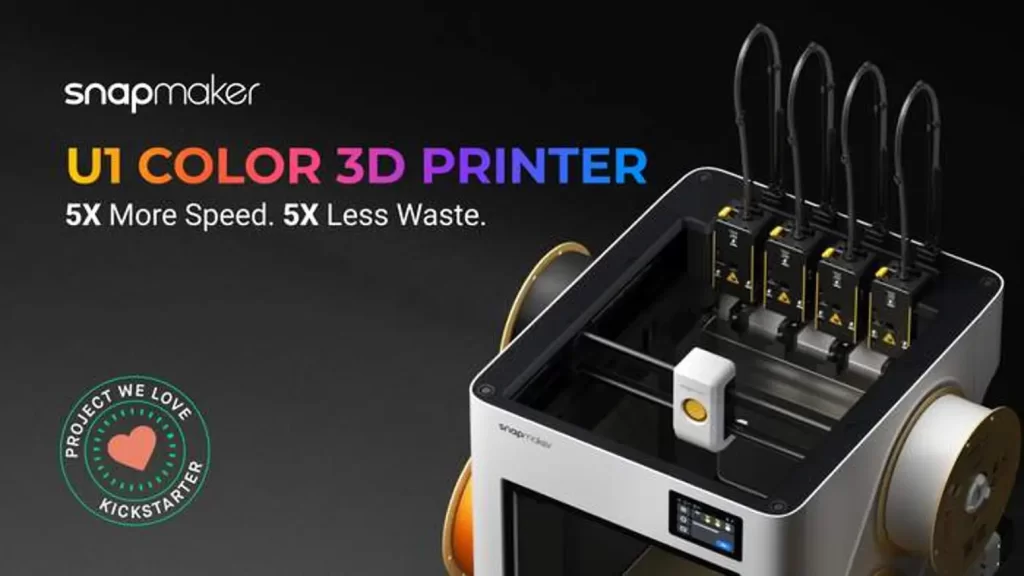
The crowning jewel of the Snapmaker U1 is its proprietary SnapSwap™ system. In a market dominated by single-nozzle multi-material systems, the U1 stands out by utilizing four independent tool heads (extruders). Traditional systems require the printer to retract the current filament, purge the nozzle into a “waste tower” to clear the color, and then load the new material. This process can consume more filament than the actual model being printed, leading to a “trash pile” that is both environmentally and financially taxing.
The Snapmaker U1 flips this script. By having four dedicated tool heads pre-loaded with different filaments, the machine simply parks the active head and picks up the next one in a seamless 5-second swap. Because each material has its own dedicated nozzle, there is no mixing of colors and, more importantly, no need for a purge tower. This results in up to 95% less filament waste compared to single-nozzle competitors. For professional studios printing with expensive engineering materials like Carbon Fiber-reinforced Nylon (PA-CF) or water-soluble supports (PVA), the Snapmaker U1 isn’t just a printer—it’s a cost-saving industrial tool.
Engineering Excellence: CoreXY Kinematics and Carbon Fiber
Under the hood, the Snapmaker U1 is built for high-stakes performance. It utilizes a refined CoreXY motion system, which is the gold standard for high-speed desktop 3D printing. However, Snapmaker has taken it a step further by incorporating aerospace-grade carbon fiber rails on the X-axis. Carbon fiber is significantly lighter and more rigid than traditional steel or aluminum rods, allowing the tool head to move with incredible agility.
With travel speeds of up to 500 mm/s and an acceleration of 20,000 mm/s², the U1 is designed to maintain surgical precision even at its limit. This mechanical rigidity is crucial because a tool-changer system adds extra mass to the gantry. Snapmaker’s engineering ensures that the extra weight of the tool heads doesn’t translate into “ringing” or “ghosting” artifacts on the printed surface. Whether you are printing a high-speed prototype or a complex multi-material functional part, the mechanical stability of the U1 ensures consistent layer registration across all four tool heads.
Smart Ecosystem: AI Monitoring and Pro-Grade Calibration
Ease of use is often the Achilles’ heel of complex tool-changers, but the Snapmaker U1 addresses this with a suite of “Smart” features. The machine features an Automatic XYZ Alignment system that calibrates the offsets between all four nozzles with a tolerance of less than 0.04 mm. This ensures that when the machine swaps from a rigid PLA body to a flexible TPU joint, the transition is seamless and the alignment is perfect.
Furthermore, the built-in AI-powered chamber camera acts as a digital guardian. By utilizing visual recognition, it can detect common printing failures like “spaghetti” or sudden obstructions in real-time, pausing the print and notifying the user via the Snapmaker app. This level of autonomy is vital for long, 40+ hour multi-material prints where manual supervision is impossible. Coupled with advanced features like Vibration Compensation and Dynamic Flow Calibration, the U1 delivers industrial-grade results with a “set and forget” user experience.
Comparative Analysis: Snapmaker U1 vs. Flashforge Adventurer 5X (AD5X)
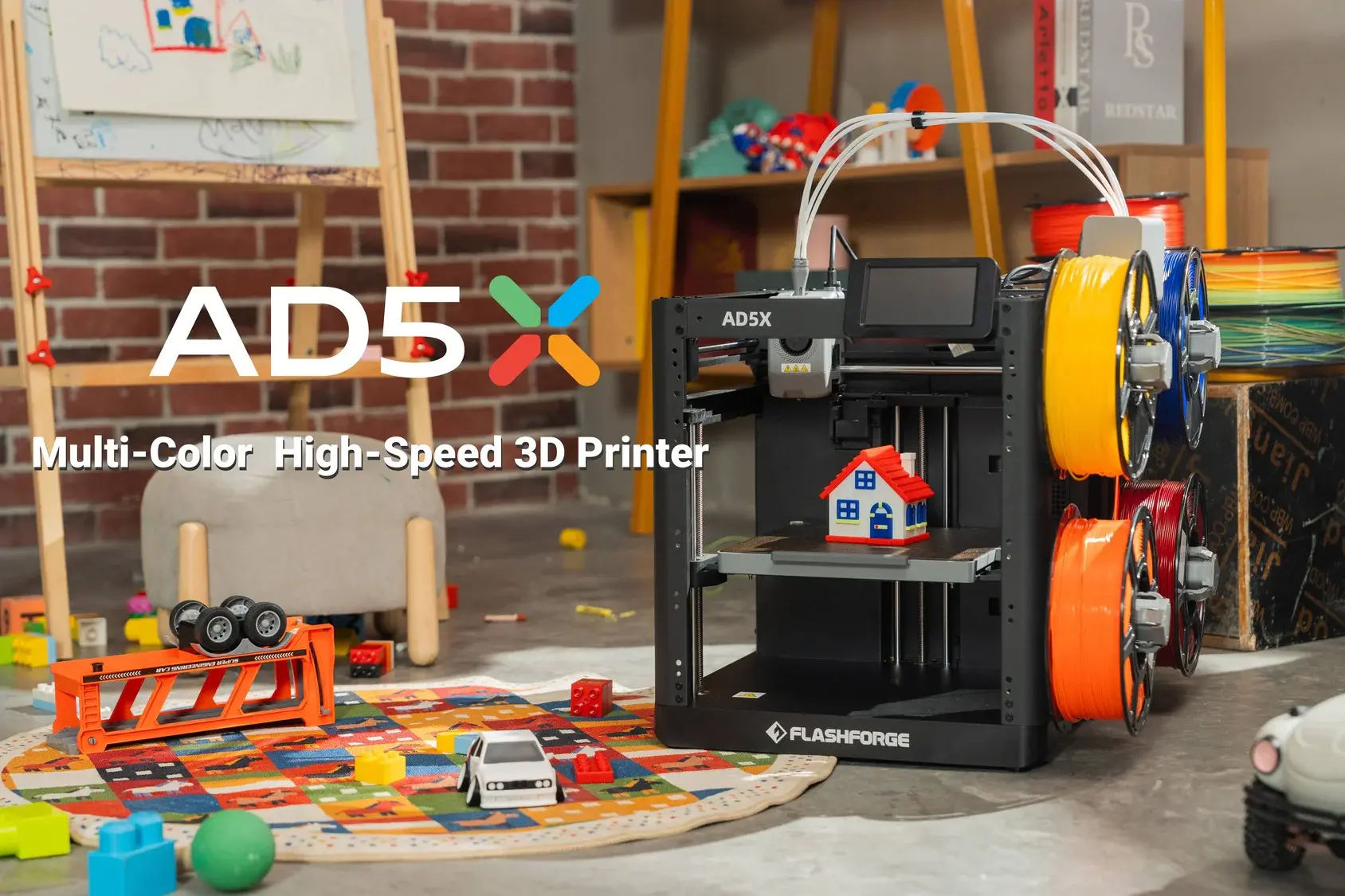
When choosing a multi-material 3D printer in 2026, the decision often comes down to the methodology of material management. While the Snapmaker U1 champions the “Tool-Changer” approach, its primary rival, the Flashforge Adventurer 5X (AD5X), represents the pinnacle of high-speed, single-nozzle multi-material systems. Both machines offer four-color capabilities, but their paths to the final print couldn’t be more different. This section breaks down the performance, costs, and specific use cases for each to help you make an informed investment.
Flashforge AD5X: The King of High-Speed Versatility
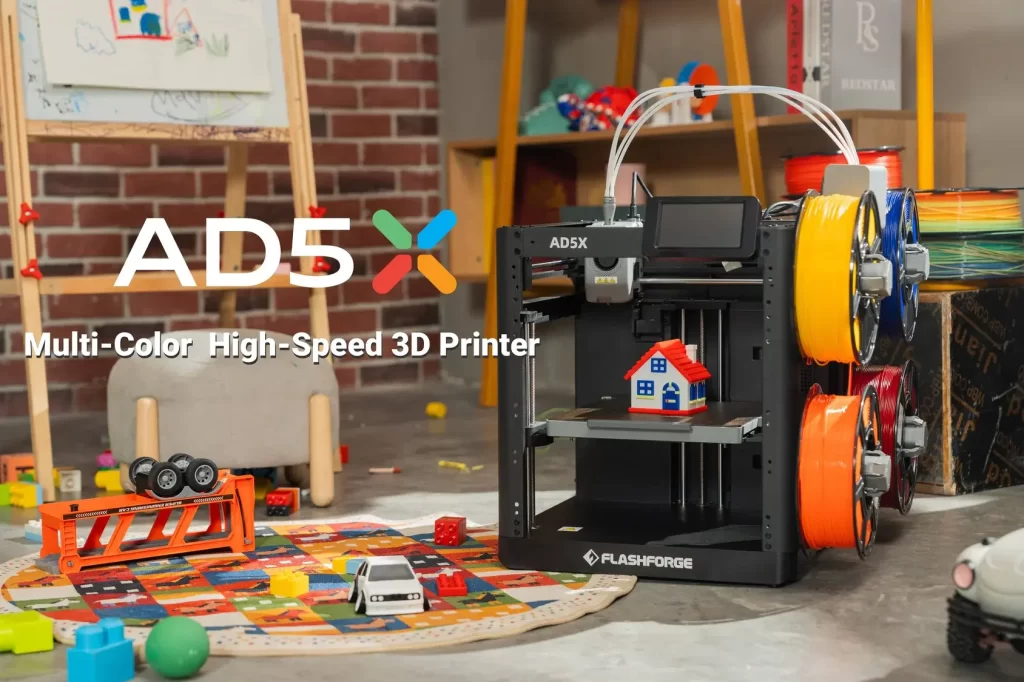
The Flashforge Adventurer 5X (AD5X) is designed for makers who prioritize raw speed and a compact footprint. Boasting a staggering maximum print speed of 600 mm/s, it edges out the Snapmaker U1 in pure linear motion. Its multi-material capability comes from the IFS (Intelligent Filament System)—an external module that feeds four different filaments into a single high-flow hotend.
The primary advantage of the AD5X is its “plug-and-play” simplicity. The IFS module is relatively easy to set up and integrates seamlessly with FlashPrint or Orca Slicer. For hobbyists printing colorful tabletop miniatures or aesthetic prototypes, the AD5X provides a lower barrier to entry both in terms of price and technical complexity. Furthermore, Flashforge has optimized its extruder to handle TPU 95A exceptionally well, making it a favorite for those who want to mix rigid and flexible materials in a single, high-speed print.
The Hidden Cost: Purge Towers vs. Tool Swaps
The most significant operational difference lies in material efficiency. Because the Flashforge AD5X uses a single nozzle, it must perform a “purge” every time it switches colors. This involves extruding a certain amount of filament into a waste tower to ensure the previous color is completely cleared. On complex models with hundreds of color changes, the weight of the purge tower can sometimes exceed the weight of the model itself.
In contrast, the Snapmaker U1 is an “efficiency beast.” Since each color has its own dedicated tool head, there is no mixing of plastic. The U1 doesn’t need to purge; it simply swaps heads and continues. For a professional user, this translates into two major benefits:
- Material Savings: Over a year of heavy use, the U1 can save hundreds of dollars in filament that would otherwise end up in the trash.
- Time Savings: While the AD5X has a faster top speed, the time spent purging on every layer adds up. On highly complex multi-color prints, the U1 often finishes faster because its 5-second swap is more efficient than a 30-60 second purge cycle.
Mechanical Longevity and Build Volume
The build volume of the Snapmaker U1 (270 x 270 x 270 mm) offers significantly more breathing room than the AD5X (220 x 220 x 220 mm). This makes the U1 the better choice for functional engineering parts, such as automotive components or large-scale architectural models.
Mechanically, the U1’s use of carbon fiber rails provides a long-term advantage in wear resistance and vibration dampening compared to the AD5X’s traditional steel linear rails. While steel is durable, the weight of the steel gantry can lead to more mechanical stress at high accelerations over time. The U1’s lightweight gantry is specifically designed to handle the additional weight of the four tool heads without sacrificing precision or longevity.
Final Verdict: Which One Should You Buy?
The choice between the Snapmaker U1 and the Flashforge AD5X depends entirely on your production goals:
- Choose the Snapmaker U1 if: You are a professional, engineer, or serious hobbyist who values material efficiency and precision. The tool-changer system is superior for printing with soluble supports (PVA/BVOH) and technical materials where cross-contamination is not an option. It is an industrial-grade factory in a desktop format.
- Choose the Flashforge AD5X if: You are looking for the fastest possible single-color prints with the added bonus of multi-color capability. It is the ideal choice for educational environments, hobby rooms, and those on a tighter budget who still want access to the 600 mm/s high-speed printing era.
Both machines represent the cutting edge of 2026 3D printing technology. At pea3d.com, we believe the Snapmaker U1 is the better long-term investment for those looking to scale their production, while the Flashforge AD5X remains the champion of accessible, high-speed desktop making.
Snapmaker U1 & Flashforge AD5X – Frequently Asked Questions (FAQ)
To wrap up our extensive comparison, we have gathered the most common questions from the community regarding the Snapmaker U1 and the Flashforge Adventurer 5X (AD5X). Whether you are worried about maintenance or curious about material compatibility, these answers will help clarify your buying decision.
1. How does the Snapmaker U1 achieve “zero-waste” printing?
The Snapmaker U1 uses a “SnapSwap™” tool-changer system with four independent heads. Unlike single-nozzle printers that must purge old filament into a waste tower (creating significant “poop” or trash), the U1 simply parks one head and picks up another. This eliminates the need for a purge tower, saving up to 95% of filament waste on complex multi-color projects.
2. Can the Flashforge AD5X print with flexible materials like TPU in multi-color mode?
Yes! One of the standout features of the Flashforge AD5X and its IFS (Intelligent Filament System) is its ability to handle TPU 95A quite well. While many multi-material systems struggle with soft filaments, the AD5X’s extruder and feeding path are optimized to allow for reliable multi-color prints that combine rigid and flexible materials.
3. What is the maintenance like for the Snapmaker U1 tool-changer?
Maintenance is relatively straightforward but essential for long-term precision. The U1 tracks the number of swaps automatically. It is rated for 1,000,000 swaps, but it is recommended to clean the gold pogo-pin contacts every 100,000 swaps with isopropanol to ensure stable connectivity. Regular lubrication of the carbon fiber rails with light lithium grease will also keep the motion system smooth.
4. Is the Flashforge AD5X faster than the Snapmaker U1?
In terms of raw travel speed, the AD5X is faster with a top speed of 600 mm/s compared to the U1’s 500 mm/s. However, on a multi-color print with hundreds of swaps, the U1 may finish sooner. This is because the U1 swaps heads in just 5 seconds, whereas the AD5X must spend 30-60 seconds on every color change to purge and clean the nozzle.
5. Can I use third-party slicers with these machines?
Absolutely. While both companies provide their own software (Snapmaker Luban and FlashPrint), both the Snapmaker U1 and Flashforge AD5X are fully compatible with industry-standard slicers like Orca Slicer and PrusaSlicer. This allows professional users to use advanced settings like organic supports and custom flow rates.
6. Which printer is better for a small business?
If your business involves selling high-quality prototypes or parts with soluble supports (PVA), the Snapmaker U1 is the better investment due to its material savings and “clean” transitions. If you are running a farm for fast, single-color parts or simple multi-color aesthetic items, the Flashforge AD5X offers a faster return on investment due to its lower initial cost.