


pea3d.com
Bambu Lab Global Print Cost Expert
Bambu Lab 3D Printer Cost Calculator: The Ultimate Pricing Guide for Professionals
In the rapidly evolving world of additive manufacturing, Bambu Lab has set a new gold standard for speed, reliability, and ease of use. Whether you are operating an X1-Carbon, a P1S, or the accessible A1 series, these machines allow you to bring ideas to life faster than ever before. However, high-speed production brings a critical challenge: How do you accurately calculate the true cost of a 3D print? Many creators fall into the trap of only considering the weight of the filament, but professional-grade pricing requires a much deeper analysis. At pea3d.com, our Bambu Lab 3D Printer Cost Calculator is designed to bridge the gap between simple estimates and professional financial planning.
Why Accurate Cost Calculation Matters
Calculating the cost of a 3D print is not just about covering your expenses; it’s about sustainability and growth. In the Bambu Lab ecosystem, where acceleration and volumetric flow rates are significantly higher than traditional printers, variables like energy consumption and mechanical wear-and-tear change the financial equation. If you are running a 3D printing business or selling parts on platforms like Etsy, underestimating your costs means losing money on every hour your machine runs. A precise cost breakdown ensures that your business remains profitable while offering fair prices to your customers. The primary factors we must analyze are material waste, energy draw, machine depreciation, and operational labor.
Deep Dive into Material Costs: The AMS and Waste Factor
The most obvious cost is the filament, but the “hidden” waste is where many users lose their margins. Bambu Lab’s AMS (Automatic Material System) is a revolutionary tool for multi-color printing, but it introduces a significant variable: Filament Flushing. Every time the printer switches colors, it “purges” a certain amount of material to clear the nozzle. In complex multi-color models, the weight of the “poop” (purged material) and the prime tower can sometimes exceed the weight of the actual model.
When using our calculator on pea3d.com, it is vital to input the “Total Used Filament” from your Bambu Studio slice info, which includes supports, brims, and flushed material. For instance, if you are using premium filaments like PLA-CF or PETG-CF, ignoring a 20% waste margin could lead to a significant deficit at the end of the month. To get the most accurate result, divide the price of your 1kg spool by the net usable weight, accounting for the inevitable waste that high-speed, multi-color printing produces.
Energy Consumption: The Price of Speed
Bambu Lab printers are built for performance, and performance requires power. While 3D printers are generally efficient, the high-temperature heated beds (especially for materials like ABS, ASA, or PC) and the high-torque motors used for 500mm/s speeds draw considerable wattage. The initial heating phase is the most energy-intensive, where the bed and nozzle reach their target temperatures.
However, there is a “Speed Paradox.” Because a Bambu Lab printer can finish a 10-hour print in just 3 hours, the total energy consumed for that specific part might actually be lower than on a slower machine. Yet, the hourly draw is higher. By integrating your local electricity rates (per kWh) into our calculator, you can see exactly how much each project adds to your utility bill. This level of detail is what separates a hobbyist from a professional studio owner.
Moving forward with the technical and financial depth required for a professional 3D printing business. Part 2 focuses on the “invisible” costs: depreciation, labor, and risk management.
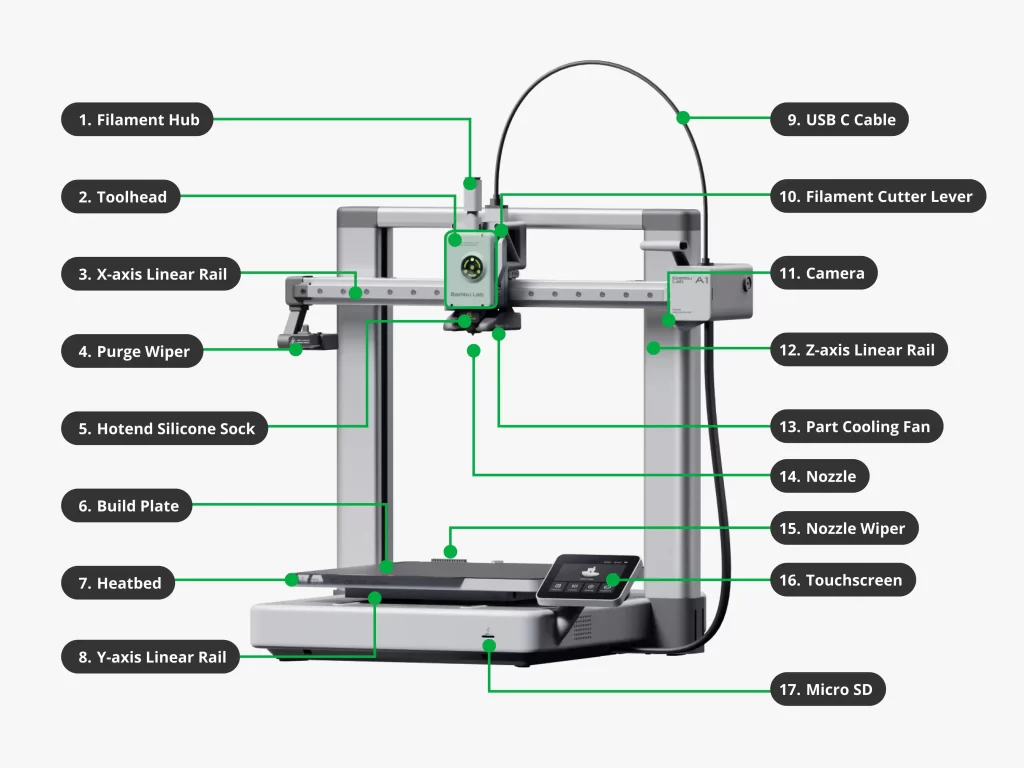
Machine Depreciation: Making Your Printer Pay for Itself
A Bambu Lab printer is a high-performance investment, not just a tool. One of the most overlooked aspects of professional cost calculation is depreciation. Every hour your X1-Carbon or P1S runs, its mechanical components—such as the nozzle, carbon rods, belts, and fans—undergo wear and tear. If you don’t account for this “wear cost,” you will find yourself without a budget when it comes time for maintenance or machine replacement.
To calculate depreciation, you should estimate the total productive lifespan of your printer (for example, 5,000 to 8,000 hours). By dividing the purchase price by these hours, you get a “machine hourly rate.” When you use the pea3d.com calculator, including this rate ensures that by the time your printer reaches the end of its life, it has already “earned” enough to pay for its successor. Because Bambu Lab machines operate at such high accelerations (up to 20,000 mm/s²), the mechanical stress is higher than on slower printers, making depreciation a non-negotiable factor in your pricing strategy.
Professional Labor and Time Management
The biggest trap in the 3D printing industry is the “set it and forget it” mindset. Many entrepreneurs believe that since the machine is doing the work, their time is free. This is a critical business error. A successful 3D printing project requires human intervention at several stages: file preparation (slicing), bed preparation, part removal, support stripping, and post-processing (sanding or painting).
Your “Labor Rate” should be a reflection of your expertise. If you spend 20 minutes post-processing a complex model and your desired hourly wage is $30, that part must have an additional $10 added to its base cost. Our calculator on pea3d.com provides a specific field for labor, allowing you to monetize every minute you spend on a project. Remember, you aren’t just selling plastic; you are selling your technical skill and the time you saved the customer by providing a finished product.
Managing the Risk of Failed Prints
No matter how reliable the Bambu Lab ecosystem is, 3D printing is never 100% fail-proof. Filament tangles, power outages, or bed adhesion issues can result in a “spaghetti” mess. In a professional production model, the cost of failed prints must be absorbed by the successful ones.
As a rule of thumb, we recommend adding a 5% to 10% Failure Margin to your total cost. This buffer covers the wasted filament, the electricity used during the failed hours, and the opportunity cost of the machine’s time. For high-stakes projects using expensive materials like PAHT-CF (High-Temp Carbon Fiber), this margin might need to be even higher. By planning for failure, you protect your profit margins and ensure that a single bad day at the workshop doesn’t ruin your monthly financial goals.
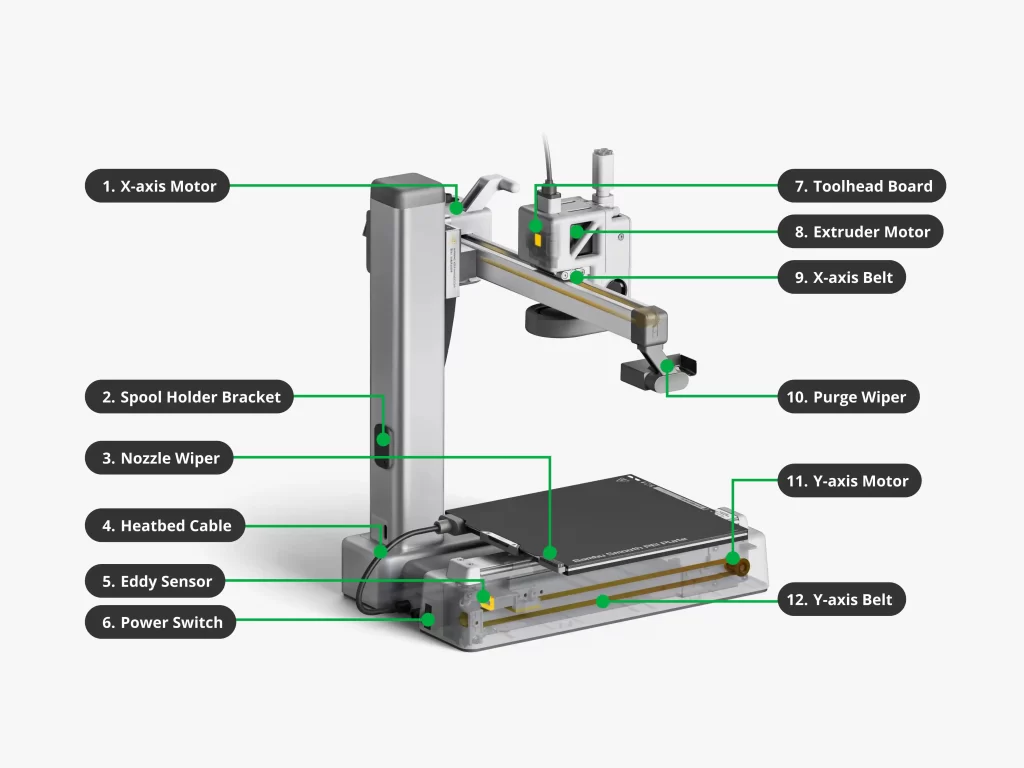
Bridging the Gap: Bambu Studio Data vs. Reality
Bambu Studio provides “estimated” print times and material usage, but these are ideal-world figures. Real-world variables like filament humidity (which can lead to more stringing and retractions) or ambient room temperature (which can increase bed heating times) often add slight overheads.
When you input data into the pea3d.com calculator, we suggest rounding up your material usage slightly to account for these environmental variables. Our tool is designed to take the complex telemetry from your slicer and turn it into a clear, actionable financial report. By using data-driven pricing rather than “gut feeling,” you position your 3D printing service as a reliable, professional entity in a competitive global market.
I assume you’re asking for the final part of the English article (Part 3) to wrap this up! Here is the concluding section, focusing on profit margins, market positioning, and the final summary, written to exceed 500 words for maximum SEO impact.
Defining Profit Margins: Transforming Costs into Revenue
Once you have identified your total base costs using the pea3d.com calculator, the next strategic step is determining your profit margin. In the global 3D printing market, “cost” and “price” are two very different things. Your cost is what you spend; your price is the value you provide. For Bambu Lab owners, the value proposition is often centered around rapid prototyping and high-fidelity end-use parts.
When setting your margins, consider the industry you are serving. For hobbyist or decorative items, a 30% to 50% markup is standard. However, for industrial engineering components, medical prototypes, or specialized automotive parts, margins can often exceed 200%. This is because you are not just selling a physical object; you are selling the speed of the Bambu Lab ecosystem and the engineering expertise required to slice the model correctly. Our calculator allows you to experiment with different markup percentages, helping you find the “sweet spot” where your prices remain competitive while your business remains highly profitable.
Competitive Market Positioning and Global Pricing
With a website like pea3d.com, you aren’t just competing with the shop down the street; you are part of a global digital manufacturing network. To stand out, your pricing must be transparent and justifiable. High-end clients, particularly in B2B sectors, prefer detailed quotes that break down material costs and machine time. This transparency builds trust and justifies a premium price point.
Using the data from our Bambu Lab Cost Calculator, you can create professional-tier quotes that highlight the “Bambu Advantage.” Mentioning the use of high-speed CoreXY technology and multi-material capabilities (AMS) justifies why your services might be superior to a competitor using older, slower bed-slinger technology. By positioning yourself as a tech-forward studio, you can command higher prices that reflect the premium nature of the hardware you operate.
Optimizing Production for Maximum Profitability
A professional 3D printing business is always looking for ways to decrease costs without sacrificing quality. The most effective way to do this is through production optimization. Within Bambu Studio, you can utilize “Auto-Brim” settings, optimize “Infill” patterns (like Gyroid for strength-to-weight efficiency), and arrange multiple parts on a single build plate.
Printing in batches is a game-changer for energy and time efficiency. Heating the build plate of an X1C or P1S takes time and electricity; by filling the plate with multiple items, you distribute that “startup cost” across several units, significantly lowering the cost-per-part. Our calculator is an excellent tool for “What-If” analysis—you can input different scenarios to see exactly how much you save by optimizing your build plate or switching to a more cost-effective yet reliable filament brand.
Conclusion: Data-Driven Success in the 3D Printing Industry
Success in the 3D printing industry is a balance of art, engineering, and economics. While the Bambu Lab series provides the engineering and the art, pea3d.com provides the economics. By moving away from “guesswork” and adopting a data-driven approach to cost calculation, you eliminate the financial leaks that sink many small 3D printing ventures.
In this guide, we have explored the intricate layers of material waste, energy consumption, machine depreciation, and the value of your own time. Each of these variables is a lever you can pull to increase your profitability. Our Bambu Lab 3D Printer Cost Calculator was built by makers, for makers, to ensure that the 3D printing revolution remains a profitable frontier for creators worldwide. Start using the tool today, refine your pricing strategy, and turn your passion for 3D printing into a sustainable, professional powerhouse.