Creality SPARKX i7 Review: Pushing the Boundaries of Desktop AI and Velocity
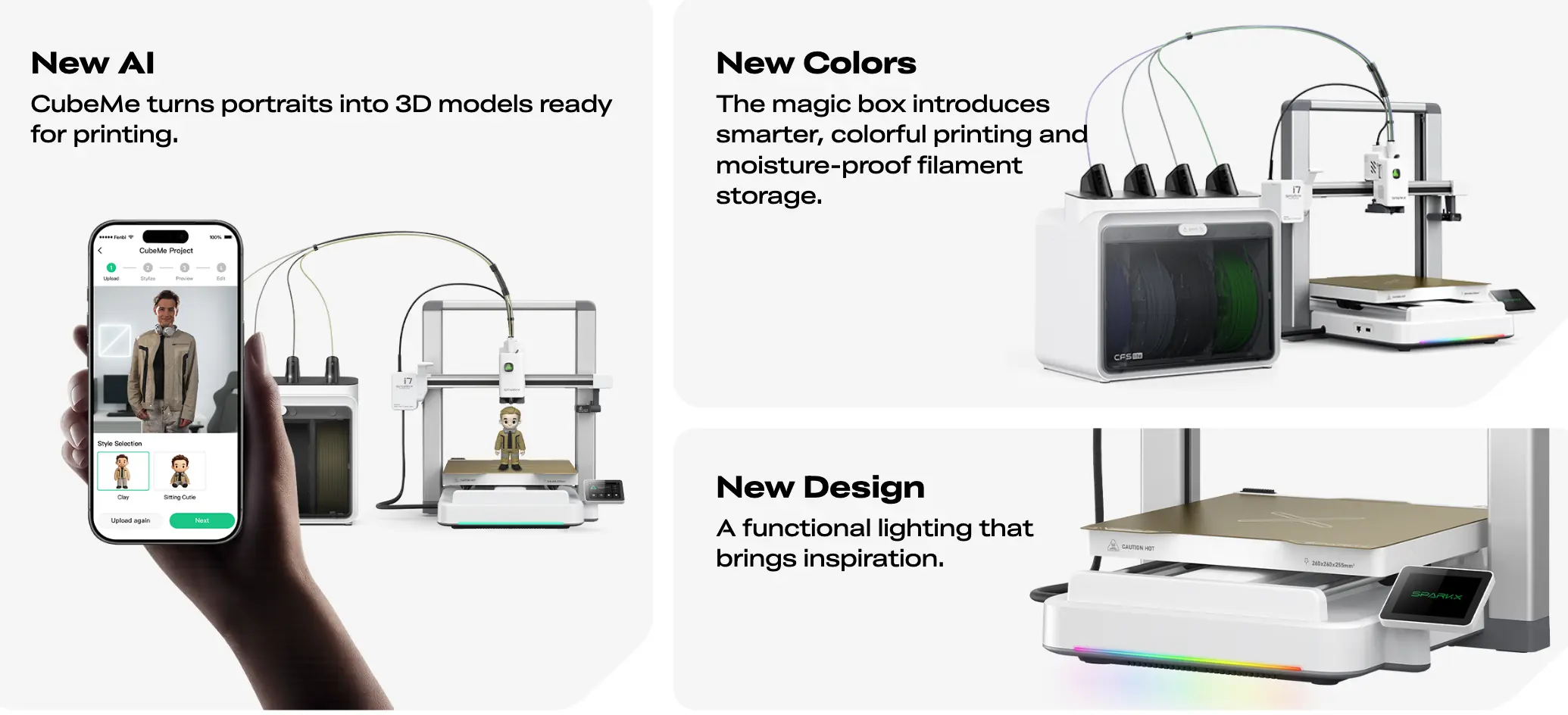
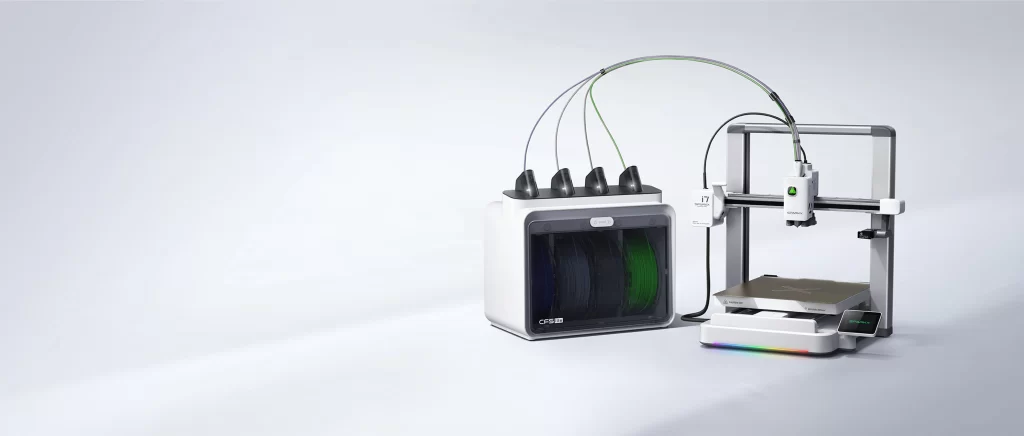
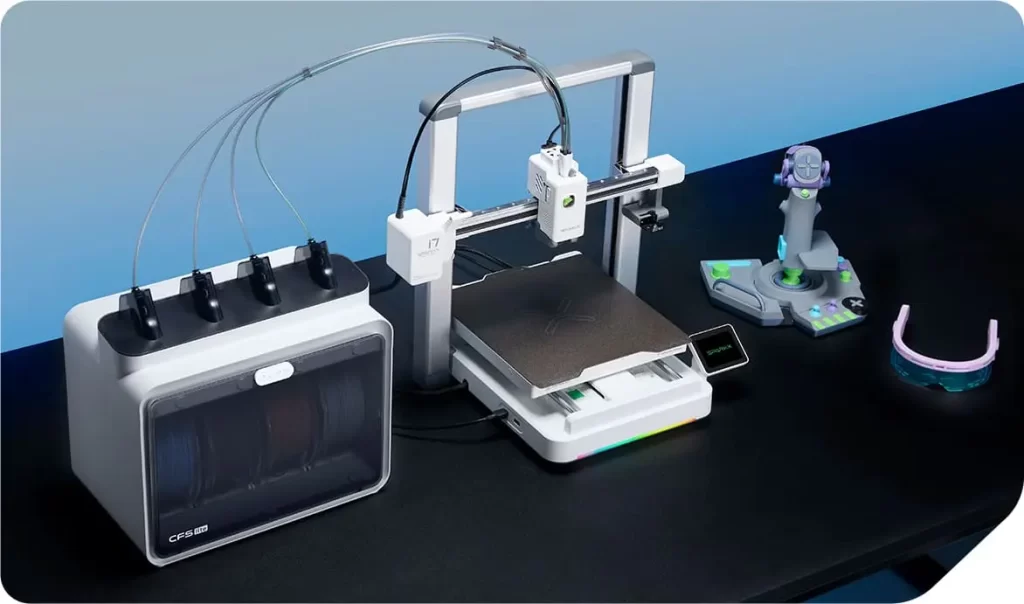
Introduced in early 2026, the Creality SPARKX i7 is not merely another iteration in the K-series lineup; it is a fundamental shift toward “Autonomous Manufacturing.” While the industry previously focused on raw speed, the SPARKX i7 prioritizes “Intelligent Throughput”—the ability to maintain extreme velocities without the typical failure rates associated with high-speed FDM printing. With its integrated AI Vision 3.0 and the new CFS Lite multi-material system, Creality has positioned the i7 as the primary challenger to premium flagship models. In this first part, we will dissect the hardware architecture and the neural processing power that defines this 2026 powerhouse.
1. Motion Kinematics: 500 mm/s and Active Resonance Suppression
The SPARKX i7 boasts a nominal print speed of 500 mm/s with a peak acceleration of 10,000 mm/s². While these numbers are impressive, the true innovation lies in how the machine handles the resulting kinetic energy.
- Precision Control: Utilizing an optimized CoreXY motion system and Creality OS, the printer employs advanced “Input Shaping” and “Pressure Advance” algorithms. These systems work in tandem to eliminate “ringing” or ghosting artifacts, ensuring that corners remain sharp even when the print head is moving at maximum velocity.
- The Silent Vanguard: Despite its speed, the i7 operates at a remarkably low noise floor (45-50 dB). This is achieved through custom-tuned TMC stepper drivers and a revised cooling shroud design that maximizes airflow while minimizing acoustic turbulence.
2. AI Vision 3.0: A Dedicated Neural Operator
At the heart of the toolhead sits a high-definition AI Camera coupled with a dedicated Neural Processing Unit (NPU). This is not just a monitoring tool; it is an active supervisor of the print process.
- Spaghetti Detection: Using real-time computer vision, the AI detects if a model has detached from the bed or if a mechanical failure has occurred. It pauses the print within seconds, preventing hours of wasted filament.
- First-Layer Inspection: Before proceeding to the infill, the Lidar sensor and AI camera collaborate to scan the first layer for gaps or poor adhesion. If the foundation isn’t perfect, the system prompts the user, ensuring that structural integrity is maintained from the start.
- Air-Print Prevention: By monitoring the extrusion consistency, the system can detect a clogged nozzle or a snapped filament strand, immediately halting the process to save the machine from potential damage.
3. CFS Lite: Redefining Multi-Material Efficiency
The CFS Lite (Color Filament System) is Creality’s answer to the demand for multi-color printing, but with a focus on sustainability and waste reduction.
- 50% Waste Reduction: One of the biggest criticisms of multi-material systems is the “purge tower” waste. The SPARKX i7 utilizes a refined transition algorithm that optimizes the flush volume based on color pigment density, significantly reducing the amount of wasted plastic.
- Quad-Channel Support: Supporting up to four colors natively, the CFS Lite manages filament retraction and loading with industrial-grade reliability, making complex multi-color prototypes accessible to the average user.
4. Hardware Integrity: Quick-Swap and High-Temp Capabilities
- Unicorn Quick-Swap Hotend: Maintenance downtime is minimized through a tool-less nozzle replacement system. This allows users to switch between different nozzle diameters or materials in under 30 seconds.
- Hardened Steel Ecosystem: The i7 comes standard with a 300°C-rated hardened steel nozzle. This allows for the seamless printing of abrasive materials such as PLA-CF (Carbon Fiber), PETG-CF, and flexible TPU without the need for immediate hardware upgrades.
- Dual-Sided Gold PEI Plate: The build surface offers a perfect balance between high-temperature adhesion and ease of removal, ensuring that parts detach naturally once the plate cools.
Part 1 Summary: The Creality SPARKX i7 represents a convergence of speed and intelligence. By automating the most difficult aspects of 3D printing—calibration and error detection—it transforms a technical hobby into a streamlined production workflow.
Here is Part 2 of the Creality SPARKX i7 technical review, focusing on software integration, advanced material handling, and its practical application in a professional environment.
Part 2: Creality SPARKX i7 Analysis: Software Synergy and Industrial Material Performance
In 3D printing, hardware is only as capable as the software that drives it. While Part 1 of our review focused on the physical prowess of the Creality SPARKX i7, Part 2 dives into the “digital brain” of the machine. The integration of Creality OS with the machine’s high-speed kinematics allows it to handle advanced engineering filaments that were previously the domain of industrial-grade machines. We will explore how the software ecosystem and material versatility make the SPARKX i7 a formidable tool for professional prototyping and small-batch production.
1. The Ecosystem: Creality OS and Intelligent Slicing
The SPARKX i7 runs on a customized, Klipper-based version of Creality OS, which has been fine-tuned to handle the massive data throughput from the AI sensors and high-speed motor drivers.
- Seamless Connectivity: Through the Creality Cloud, users can remotely manage a fleet of printers, monitor real-time thermal data, and receive AI-triggered push notifications. The 4.3-inch responsive touchscreen provides an intuitive interface for on-device adjustments, making complex settings accessible without needing a PC.
- Optimized Slicing for Multi-Material: The updated Creality Print slicer features specific algorithms for the CFS Lite. It intelligently calculates the “Purge-to-Infill” ratio, where the printer uses color-change waste as internal infill material, further reducing external waste towers and saving on filament costs.
2. Engineering Material Performance: Beyond PLA
With a nozzle temperature reaching 300°C and a heated bed capable of 110°C, the SPARKX i7 is designed to thrive with engineering-grade thermoplastics.
- Technical Materials: The machine excels at printing ASA, Nylon (PA), and PC (Polycarbonate). Because the internal chamber airflow is carefully managed (and can be fully enclosed with optional kits), the internal temperature remains stable, preventing the dreaded “warping” or layer delamination common with these materials.
- Carbon Fiber Composite Success: The hardened steel Unicorn nozzle is tailor-made for abrasive filaments. Printing PLA-CF or PETG-CF on the SPARKX i7 results in parts with an exceptional matte finish and significantly higher structural rigidity, perfect for functional mechanical components.
3. User Experience: Automation and Reliability
The “Plug & Play” philosophy of 2026 is fully realized in the SPARKX i7. It aims to remove the “tinkering” barrier that has historically plagued FDM printing.
- Full-Auto Calibration: The machine features a 25-point strain gauge leveling system combined with Lidar verification. This means the user never has to touch a leveling knob or manually calculate Z-offset. The printer performs a self-check before every job, ensuring the first layer is perfect every time.
- Advanced Error Recovery: Beyond standard power-loss recovery, the i7 features “Tangle Detection” within the CFS Lite. If the filament spool gets stuck, the AI pauses the print before the extruder can strip the filament, allowing the user to fix the spool and resume without loss of progress.
4. ROI and Industrial Throughput
From a business perspective, the SPARKX i7 is an efficiency multiplier.
- Cycle Time Reduction: A typical 10-hour print on a standard 50 mm/s printer is completed in approximately 2 hours on the SPARKX i7. For a prototyping lab, this means quintupling the daily output without increasing the physical footprint of the workshop.
- Reduced Failure Costs: The AI Vision 3.0 acts as an insurance policy. By catching a failure at the 5% mark rather than the 95% mark, the machine saves significant amounts of both time and expensive specialty filaments.
Conclusion: The Verdict on the SPARKX i7
The Creality SPARKX i7 is a masterclass in balancing speed, intelligence, and accessibility. By 2026 standards, it sets the bar for what a “mid-range flagship” should be. Whether you are a hobbyist looking for multi-color creativity or a professional engineer requiring functional Nylon parts at high speeds, the SPARKX i7 delivers a stable, AI-augmented experience that minimizes frustration and maximizes creativity.
Creality SPARKX i7 – Frequently Asked Questions & Expert Insights
This final section provides rapid-fire answers to the technical nuances of the SPARKX i7. Understanding these details will help you maximize the machine’s 2026-era AI capabilities and ensure long-term reliability.
1. Does the AI Vision 3.0 require an internet connection to function?
The core AI detection features, such as “Spaghetti Detection” and “First-Layer Inspection,” are processed locally by the printer’s onboard NPU (Neural Processing Unit). This means the printer can save a failing print even if it is offline. However, a cloud connection is required for remote mobile notifications, time-lapse synchronization, and receiving updated AI recognition models from Creality.
2. Can the CFS Lite be used with third-party filament brands?
Yes. The CFS Lite is an open-material system. It supports standard 1kg spools from any manufacturer. While Creality’s own filaments include RFID tags for automatic color and material recognition, third-party filaments can be manually configured within the Creality OS interface or the slicer software to ensure correct flow and temperature settings.
3. How often should the Carbon Fiber rails be maintained?
Unlike traditional steel rods, the carbon fiber rails on the SPARKX i7 are designed to run dry. Never apply grease or oil to the carbon fiber X-axis. Maintenance should consist of wiping the rails with a lint-free cloth and 90%+ Isopropyl Alcohol once a week to remove dust. This ensures the friction remains low and the AI-driven resonance compensation stays accurate.
4. What is the maximum flow rate of the Unicorn nozzle?
The Unicorn Quick-Swap nozzle is engineered for high-flow performance, reaching a volumetric flow rate of up to 32 $mm^3/s$ (with standard PLA). This high throughput is what allows the SPARKX i7 to maintain consistent layer strength even when printing at its top speed of 500 mm/s.
5. Is the SPARKX i7 compatible with high-temperature filaments like PEEK?
While the SPARKX i7 is a high-performance machine, it is rated for a maximum nozzle temperature of 300°C. This makes it perfect for Nylon, Polycarbonate, and Carbon Fiber composites. It is not designed for “Ultra-Polymers” like PEEK or PEI (Ultem), which typically require nozzle temperatures exceeding 400°C and active chamber heating above 100°C.