Part 1: Best Free 3D Slicer Software in 2026: The Ultimate Comparison Guide
In the world of 3D printing, your hardware is only as good as the software that drives it. A 3D slicer acts as the bridge between a digital 3D model (STL/OBJ) and the physical movement of your printer (G-code). As we move through 2026, slicing software has evolved far beyond simple layer generation, now incorporating AI-driven optimizations, advanced vibration compensation, and seamless multi-material management. In this guide, we compare the top free slicers to help you choose the right tool for your workflow.
Why the Choice of Slicer Matters in 2026
A modern slicer does more than just “slice.” It calculates complex toolpaths, manages cooling fan speeds, and determines the structural integrity of your part. Choosing the wrong software can lead to 30% longer print times or, worse, failed prints due to poor support structures. With the rise of high-speed printers like Vorons and Bambu Labs, software efficiency has become just as critical as motor torque.
1. Ultimaker Cura: The Industry Standard for Versatility
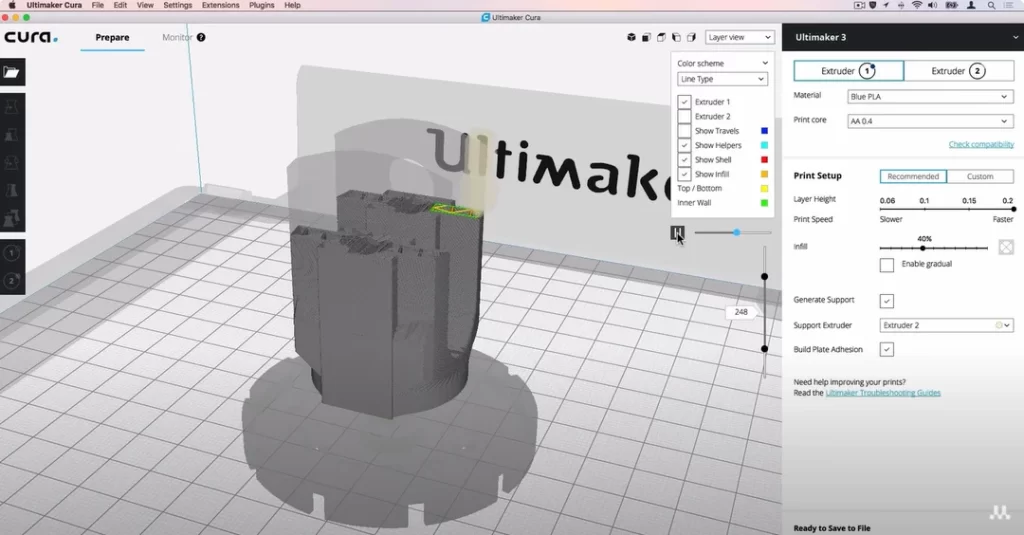
Ultimaker Cura remains the most widely used 3D slicer globally. Its longevity is built on its open-source nature and a massive library of pre-configured profiles for over 200+ third-party printers.
Key Features:
- Plugin Marketplace: The Cura Marketplace allows you to add custom tools, such as advanced mesh repair or direct integration with CAD software like SolidWorks and Blender.
- Arachne Engine: This variable line-width engine ensures that thin walls and fine details are printed with incredible precision, often outperforming traditional fixed-width slicers.
- Beginner-Friendly Interface: Cura offers a “Basic” mode that hides complex settings, making it perfect for educators and newcomers who want a plug-and-play experience.
Why Choose Cura?
If you are using a budget-friendly printer like an Ender 3 or an Anycubic, or if you value a vast community where every question has already been answered on a forum, Cura is your best bet. It is the most stable environment for hobbyists who don’t want to reinvent the wheel for every print.
Key Considerations for Choosing a Slicer
Before settling on a program, consider your printer’s firmware. While Cura is excellent for Marlin-based machines, newer Klipper-based “speed demons” might benefit from features found in more modern forks. In the next part, we will dive into PrusaSlicer, the powerhouse of precision and multi-material printing.
Part 2: PrusaSlicer and the Power of Precision Engineering
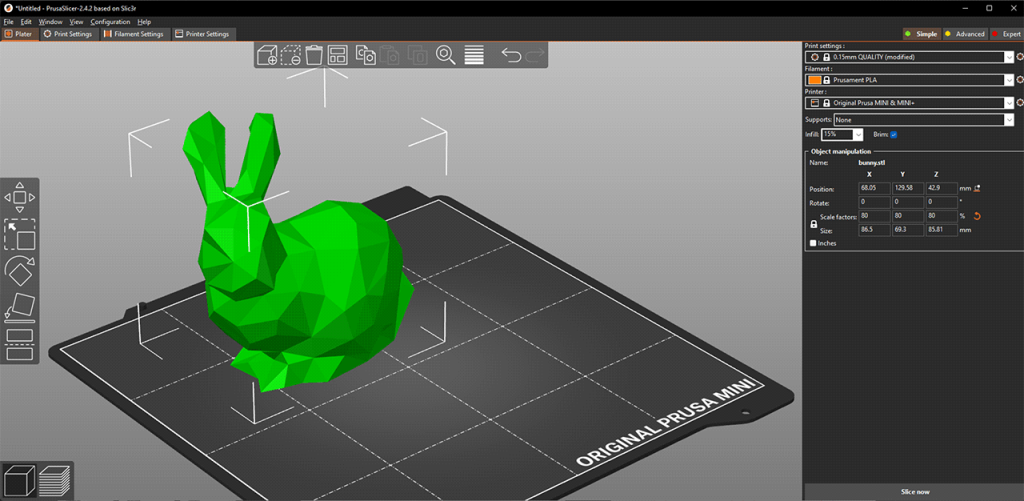
While Cura offers great versatility, PrusaSlicer has become the gold standard for users who prioritize mechanical precision and advanced geometry control. Originally a fork of the Slic3r project, Prusa Research has transformed it into a powerhouse that, in 2026, serves not just Prusa machines but a vast array of third-party FDM and SLA printers.
Why Engineers and Pros Choose PrusaSlicer
PrusaSlicer stands out because of its “Expert Mode” depth and its aggressive approach to identifying and fixing model errors.
- Consistent Surface Cooling: One of the most significant updates in the 2026 versions (v2.9.x) is the smarter cooling logic. It prioritizes slowing down less visible areas (like infill) first, ensuring that external walls maintain a smooth, uniform finish even on layers with very short print times.
- Organic Supports: While other slicers have followed suit, PrusaSlicer’s implementation of Organic Supports remains a favorite. These tree-like structures are easy to remove and use minimal material, making them ideal for complex, artistic, or functional overhangs.
- Built-in Measurement and Cut Tools: You no longer need to jump back into CAD software just to verify a dimension or split a model. The Planar Cut tool allows you to slice large models at any angle and automatically add alignment pins or connectors for easy assembly.
Advanced Control: Modifier Meshes
One of PrusaSlicer’s most powerful features is Modifier Meshes. This allows you to apply different settings to specific parts of a single STL file.
Example: You can print a mechanical bracket with 15% infill for most of the body but use a “Modifier Box” to set 100% infill specifically around the bolt holes for extra strength. This “targeted engineering” saves both time and filament.
2026 Innovations: Reduced Ringing and Custom G-Code
PrusaSlicer has integrated advanced travel planning to complement modern high-speed printers. New “Short Travel Acceleration” tweaks dampen vibrations during external perimeters, significantly reducing ringing (ghosting) near sharp corners. Additionally, the 2026 builds allow for Custom G-Code Parameters, letting power users define their own variables within profiles for unprecedented automation and hardware control.
If your goal is to print functional parts where tolerances and structural integrity are non-negotiable, PrusaSlicer is arguably the most capable tool in your arsenal. However, for those chasing pure speed and modern Klipper integration, a new contender has emerged: OrcaSlicer.
Part 3: High-Speed Revolution: OrcaSlicer and Bambu Studio
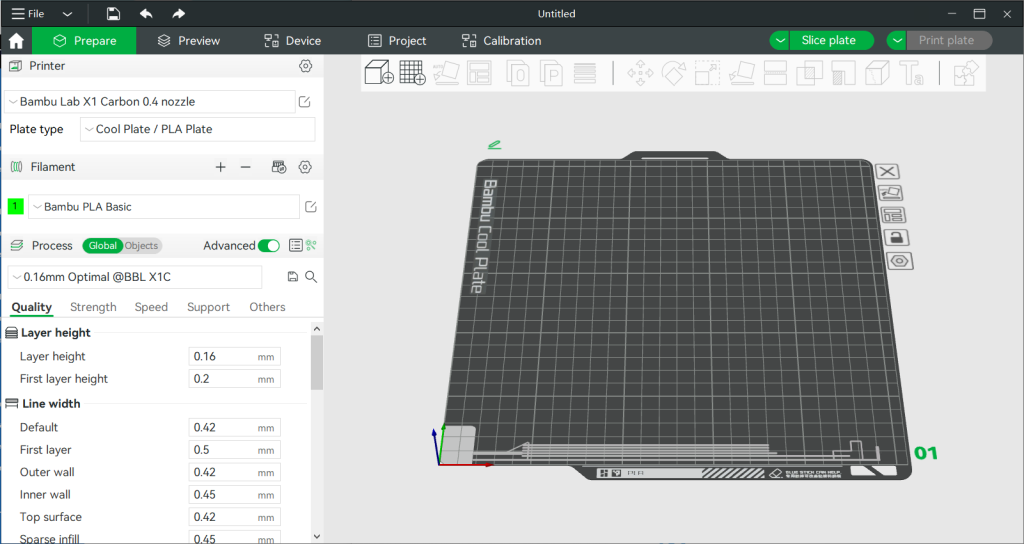
In 2026, the rise of “Speed Benchy” challenges and high-performance desktop machines has shifted the focus from just “slicing” to “system optimization.” The leaders of this high-speed revolution are OrcaSlicer and Bambu Studio. These programs are designed to handle the immense data flow required for printers operating at speeds exceeding 500mm/s without sacrificing surface quality.
OrcaSlicer: The Community-Driven Calibration Powerhouse
OrcaSlicer has quickly become the favorite for users of Klipper-based machines like Vorons, RatRigs, and modified Creality K1s. It is a fork of Bambu Studio that brings back the advanced technical controls that hobbyist power users demand.
- Built-in Calibration Suite: This is OrcaSlicer’s “killer feature.” It includes automated tests for Flow Rate, Pressure Advance, and VFA (Vertical Fine Artifacts). Instead of downloading external STL files, you can generate calibration tests directly from the top menu to dial in your filament perfectly.
- Small Area Flow Compensation: At high speeds, printing small details can cause overheating. OrcaSlicer dynamically adjusts the flow rate for tiny geometries, ensuring that small pillars don’t turn into plastic blobs.
- Precise Wall & Sandwich Mode: These advanced algorithms manage the order of “Inner-Outer-Inner” wall printing to ensure the best possible dimensional accuracy for mechanical fittings.
Bambu Studio: The Ecosystem Perfectionist
If you prioritize a seamless, worry-free experience, Bambu Studio is the gold standard for integrated workflows. Originally built for Bambu Lab printers, it now supports a growing list of third-party machines with high-quality profiles.
- Cloud Integration & Remote Monitoring: Bambu Studio allows you to monitor your print via a built-in camera feed, stop prints remotely, and manage multiple machines from a single dashboard.
- Advanced AMS Management: For multi-material printing, its AMS (Automatic Material System) integration is unmatched. Painting models for multi-color printing is intuitive, and the software automatically calculates “flush” volumes to prevent color bleeding while minimizing waste.
- AI Error Detection: In 2026, Bambu Studio uses local machine learning to analyze the G-code and warn you about potential “spaghetti” failures or non-manifold geometries before you even hit print.
Comparing Orca vs. Bambu
The choice between these two comes down to your personality as a maker. Bambu Studio is about the “Easy Button”—it works out of the box with stunning results. OrcaSlicer is for the “Tweaker”—it provides the tools to push your hardware to its absolute limit through rigorous calibration.
In the final part of our series, we will look at the best solution for Resin (SLA) printing and provide the ultimate Rank Math SEO summary for your blog.
Part 4: Resin Printing with Lychee Slicer and the Final Verdict
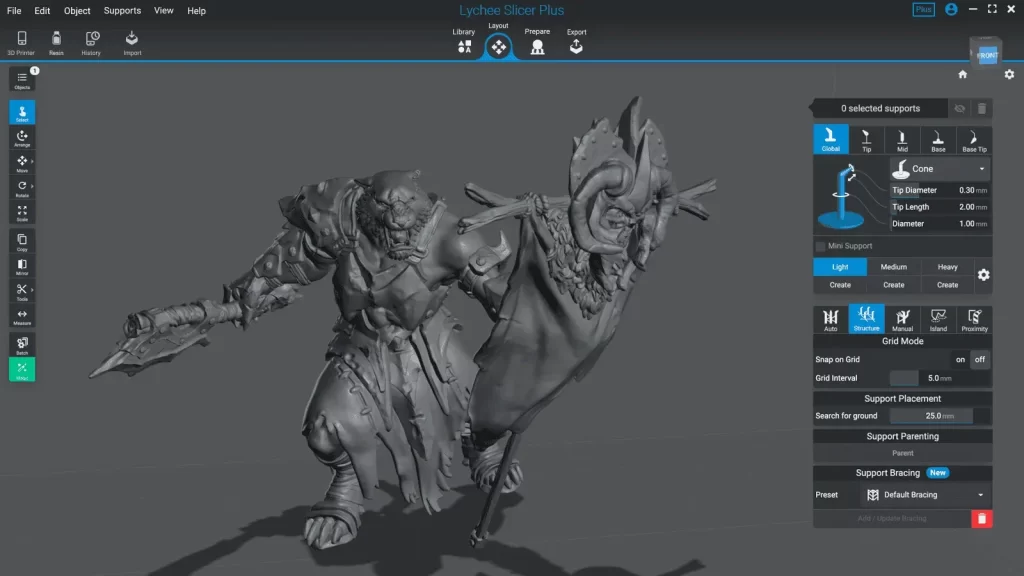
While FDM (filament) printing dominates the hobbyist market, resin (SLA/DLP) printing is the undisputed king of high-detail miniatures and jewelry. As we conclude our 2026 guide, we must highlight Lychee Slicer, the software that has revolutionized the resin workflow and recently made significant waves in the FDM world as well.
Lychee Slicer: The Automation Master for High Detail
Lychee Slicer has become the preferred choice for owners of Anycubic, Elegoo, and Phrozen machines. Its reputation is built on making the most difficult part of resin printing—support generation—entirely painless.
- The Magic Menu: With a single click, the “Magic” button orients your model for the best success rate, hollows it out to save resin, and generates all necessary supports. In 2026, the AI behind this feature has reached a 99% success rate for most standard geometries.
- Island Detector: One of the biggest causes of resin print failure is “islands”—pixels that start printing in mid-air. Lychee’s advanced detector finds these and supports them automatically, saving you from failed prints and messy VAT cleanups.
- FDM Support: Lychee has expanded into filament printing, bringing its intuitive UI to FDM users who find Cura or PrusaSlicer too cluttered. It’s an excellent “all-in-one” solution if you own both types of printers.
2026 Slicer Selection Summary: Which is for You?
To wrap up this series, here is the quick-reference guide to help you decide which free slicer to download today:
- Best for Beginners: Ultimaker Cura (Huge community, easy setup).
- Best for Engineering: PrusaSlicer (Precise control, advanced modifiers).
- Best for Speed & Tuning: OrcaSlicer (The king of calibration).
- Best for Ecosystem: Bambu Studio (Seamless, cloud-connected).
- Best for Resin & Minis: Lychee Slicer.