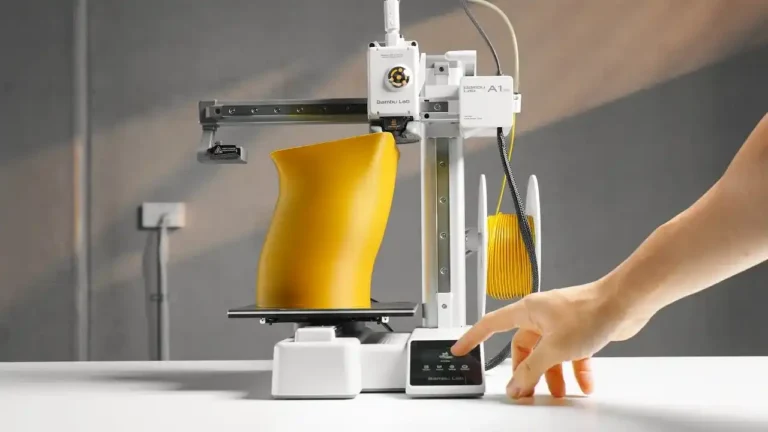
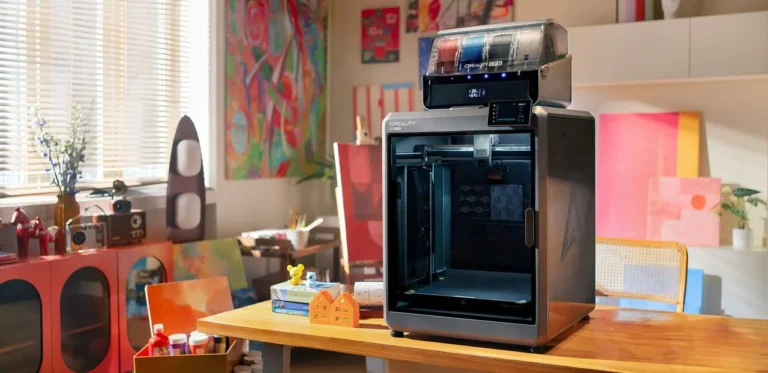
By 2026, Bambu Lab has fundamentally redefined the 3D printing landscape. With the integration of AI-driven failure detection, LiDAR surface scanning, and ultra-high-speed motion systems, the X1-Carbon, P1S, and A1 series have become the backbone of both professional print farms and enthusiast workshops. However, high-speed manufacturing (reaching up to 500mm/s and beyond) introduces unique physical stresses. Understanding the Bambu Lab error codes, the intricacies of the AMS (Automatic Material System), and the mechanical maintenance requirements is critical for any operator aiming for 100% uptime and professional-grade output.
This encyclopedia serves as a technical bridge between human intuition and machine precision, helping you decode the language of your Bambu Lab printer.
Decoding the HMS: The Health Management System of Bambu Lab
Unlike traditional open-source printers that require manual voltage testing, Bambu Lab printers communicate via the HMS (Health Management System). These error codes are usually presented as a sequence (e.g., 0300-0100-0001-0002). Understanding the logic behind these sequences is the first step in professional troubleshooting.
1. Thermal Management & Sensor Failures (The 0300 Series)
Thermal stability is the soul of a high-quality print. In 2026, Bambu printers use high-wattage ceramic heaters that can reach 300°C in under 60 seconds.
- Error: Hotend Temperature Abnormal:
- The Technical Root: This is often caused by a loose thermistor or a micro-crack in the ceramic heater plate. At 20,000mm/s² acceleration, the toolhead experiences massive G-forces that can slightly wiggle the JST connectors over time.
- The Professional Solution: Power down the machine and inspect the magnetic toolhead cover. Reseat the 4-pin and 2-pin connectors. Use a drop of electronics-grade silicone adhesive (non-conductive) if the connector feels loose.
- Error: Heatbed Temperature Abnormality:
- The Technical Root: On P1P and P1S models, the constant movement of the Z-axis can cause fatigue in the heatbed power cable.
- The Professional Solution: Inspect the cable sleeve at the bottom of the printer. Ensure there is no friction against the lead screws. If the code persists, it may indicate a blown fuse on the AC board, a common issue during power surges.
2. Motion System & Resonance Issues (The 1000/1100 Series)
Bambu Lab printers utilize Input Shaping to cancel out vibrations. If the system detects a change in frequency response, it will throw a motion error.
- Resonance Frequency Discrepancy:
- The Technical Root: This usually occurs after moving the printer to a different surface or if the belt tension has changed significantly.
- The Professional Solution: Perform a full Vibration Calibration from the maintenance menu. If the error remains, it’s a sign that your belts are either too loose (causing “ghosting”) or too tight (putting excessive load on the stepper motors).

The AMS (Automatic Material System): Advanced Diagnostics
The AMS is a marvel of engineering, but it is also the most mechanically complex part of the ecosystem. Multi-material printing involves hundreds of filament swaps, meaning the potential for failure is statistically higher.
1. The “Failed to Retract” Crisis
This is the most common roadblock for Bambu Lab users. The printer attempts to pull the filament back to the AMS, but it feels resistance.
- The “Hourglass” Effect: High-speed printing causes heat to creep up the nozzle. This can soften the filament inside the heatbreak, causing it to bulge. This bulge cannot pass through the narrow PTFE tubes.
- Expert Troubleshooting:
- Check the Buffer: The spring-loaded buffer at the back of the printer often gets stuck. Manually pull the PTFE tube to see if the spring snaps back.
- PTFE Wear: PTFE is a consumable. In 2026, with the use of abrasive filaments (CF-PLA, Wood-filled), the inner diameter of the tubes wears out, creating friction points. Replace your tubes every 500 hours of multi-color printing.
- Filament Tip Cutting: The internal blade in the toolhead must be sharp. If the cut is jagged, it will snag inside the AMS hub. Replace the cutter blade every 3-5 months.
2. The Cardboard Spool Dilemma
While eco-friendly, cardboard spools are the enemy of the AMS internal gears.
- The Solution: At pea3d.com, we recommend using “Spool Rings.” These are 3D-printed rims that snap onto the cardboard edges. Not only do they provide better grip for the AMS rollers, but they also prevent cardboard dust from clogging the internal feeders.
Professional Slicing Strategies: Bambu Studio & OrcaSlicer 2026
Software is where the magic happens. Even a perfectly maintained X1-Carbon will fail if the slicer settings are not optimized for the specific geometry and material.
1. Mastering Volumetric Flow
The most critical setting for high-speed printing is Max Volumetric Speed.
- The Math: If your nozzle can only melt 20mm³ of plastic per second, and you ask the printer to move at 500mm/s with a 0.2mm layer height, you will exceed the melting capacity.
- The Result: Under-extrusion, matte finishes on shiny filaments, and weak layer adhesion.
- pea3d Tip: Always run a “Flow Rate Calibration” for every new brand of filament. Don’t rely on the generic profiles for professional-grade parts like our Premium Car Phone Holders.
2. Scarf Seams and Wall Ordering
The “Z-Seam” has been the bane of 3D printing since its inception.
- Scarf Seams: A 2026 slicer innovation that tapers the start and end of a layer, making the seam virtually invisible.
- Wall Ordering: For dimensional accuracy, use Inner/Outer/Infill. For better overhangs, use Outer/Inner/Infill. Understanding this trade-off is what separates amateurs from professionals.
Maintenance Log: The pea3d Checklist for Longevity
To keep your printer running like a Swiss watch, follow this strict maintenance schedule used in professional print farms.
| Component | Action | Frequency |
| Carbon X-Rods | Clean with 99% Isopropyl Alcohol. NEVER OIL. | Every 150 print hours |
| Lead Screws (Z) | Wipe old grease and apply fresh Lithium Grease. | Every 300 print hours |
| Toolhead Fan | Blow out dust with compressed air. | Monthly |
| Nozzle Tip | Inspect for abrasion with a magnifying glass. | Every 500 hours (PLA) / 100 hours (CF) |
| AMS Feeders | Clean the yellow dust from the rollers. | Monthly |
Why You Should Never Oil Carbon Rods
The carbon rods in X1 and P1 printers are designed to be self-lubricating via the bushings. Applying oil or grease attracts dust, which creates an abrasive paste that will permanently score the rods, leading to irreversible loss of precision.
First Layer Science: Bed Adhesion and Leveling
Bambu Lab printers use a combination of force sensors and LiDAR (on X1) to level the bed. However, the hardware cannot compensate for a dirty surface.
The “Golden Rule” of PEI Plates
The Textured PEI plate is a fan favorite for its durability. But it has a secret enemy: Skin Oils.
- The Mistake: Touching the plate with your bare hands.
- The Fix: Wiping with alcohol is often insufficient because it just spreads the oils around. Wash the plate with warm water and dish soap (Dawn/Fairy). This is the only way to chemically break down the oils and restore 100% adhesion.
Cost Optimization for Print Farms: The pea3d Strategy
Running a Bambu Lab printer at 500mm/s is exciting, but is it profitable? High speed leads to higher wear on the nozzle, belts, and fans.
- Energy Efficiency: The heated bed is the primary energy consumer. Once the first layer is down, you can often drop the bed temperature by 5°C without losing adhesion, saving significant electricity over a 24-hour print.
- Filament Waste in Multi-Color: Multi-color prints can generate up to 50% waste in the form of “poop” (purged filament).
- Optimization: Use “Flush into Infill” or “Flush into Object” settings to hide the transition colors inside the model or into a functional secondary part.
- Accurate Quoting: Because Bambu printers are so fast, traditional “price per hour” models often fail. You need to account for the premium nature of the machine and the speed of delivery. Our pea3d.com Cost Calculator is specifically calibrated for high-speed machines, ensuring you account for every gram and every kilowatt.

Frequently Asked Questions (FAQ)
Q: My Bambu Lab printer is making a high-pitched whistling sound.
A: This is usually the part cooling fan or the motherboard fan. Check for small filament wisps that might be caught in the blades. If it persists, the bearings may be failing.
Q: Why does my print have “Salmon Skin” or VFA (Vertical Fine Artifacts)?
A: Vertical lines are caused by motor vibrations. On Bambu printers, this is often most visible at speeds between 50mm/s and 120mm/s. Interestingly, increasing the speed to 200mm/s+ often makes the surface smoother as the frequency moves out of the resonance range.
Q: Can I use third-party nozzles?
A: Yes, but be careful. The Bambu hotend is a proprietary all-in-one unit. Third-party “V6 style” adapters exist, but they can alter the thermal mass, requiring a complete PID tuning.
Conclusion: Mastering the Machine
Bambu Lab printers are the Ferraris of the 3D printing world—fast, sleek, and highly engineered. But just like a high-performance car, they require a knowledgeable driver and a strict maintenance routine. By understanding the HMS codes, mastering the AMS mechanics, and utilizing advanced slicer settings, you transform a hobbyist machine into a professional production powerhouse.
At pea3d.com, we believe that transparency in technical knowledge is the key to a successful 3D printing business. Whether you are printing custom automotive parts or artistic sculptures, use this guide as your technical foundation. Stay calibrated, stay clean, and let your creativity take shape at 500mm/s.