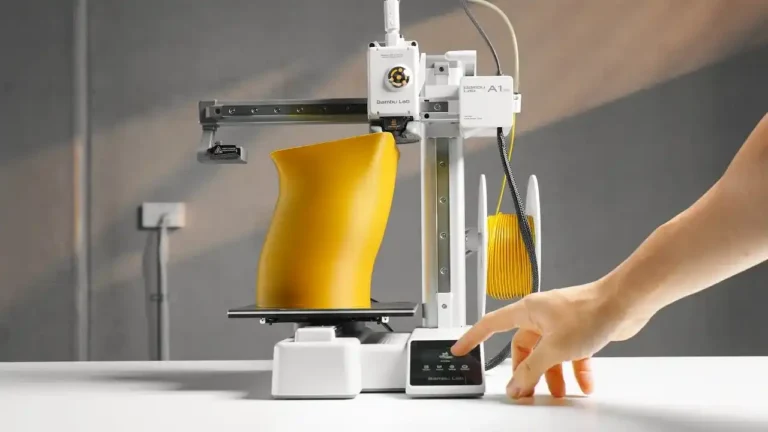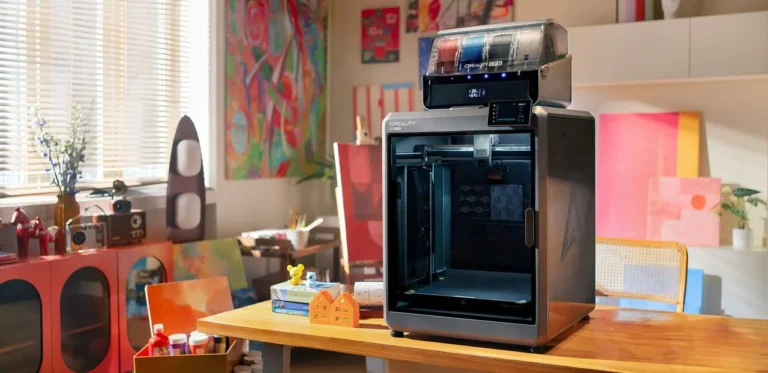


3D printing is powerful, creative, and exciting—but it’s also frustrating.
If you searched for 3D printing problems, chances are your printer failed, warped, clogged, or ruined a print after hours of work.
The truth is simple:
❗ Most 3D printing problems are not random. They are model-specific.
Popular printers like Creality Ender 3, Creality K1, Bambu Lab A1, Prusa i3, and Anycubic models each have their own typical issues.
In this complete guide, you’ll learn:
- the most common 3D printing problems
- which printer models are affected the most
- why these problems happen
- and how to fix them step by step
This guide is written for real users, not marketing brochures.
Why Printer Brand and Model Matter in 3D Printing
Many beginners believe that:
“All 3D printers have the same problems.”
That’s not true.
Each printer has:
- different motion systems
- different hotends
- different firmware
- different cooling designs
That’s why a problem common on an Ender 3 may never appear on a Bambu Lab A1, and vice versa.
Understanding your printer model saves:
- time
- filament
- frustration
1. Poor Bed Adhesion
(Very Common on Creality Ender 3, Anycubic i3, Older Budget Printers)
What Happens
- Print does not stick
- Corners lift
- Print slides off mid-job
Why It Happens on These Models
Creality Ender 3 series and older Anycubic printers often ship with:
- glass beds without coating
- manual bed leveling
- uneven heat distribution
Small leveling errors cause massive failures.
How to Fix It
- Clean bed with isopropyl alcohol
- Re-level bed carefully
- Increase first-layer height
- Slow first-layer speed
- Add a brim
👉 Ender 3 users: flexible PEI plates dramatically reduce this problem.
2. Warping and Corner Lifting
(Common on Creality K1, Open-Frame Printers, ABS Users)
What Happens
- Corners curl upward
- Large prints deform
- Dimensions become inaccurate
Why It Happens on Creality K1
Although the Creality K1 has a semi-enclosed design, heat can escape:
- from the top
- through ventilation gaps
ABS and ASA shrink as they cool, causing warping.
How to Fix It
- Increase bed temperature
- Add brim or raft
- Reduce part cooling fan
- Print in a warm room
- Use enclosure panels if possible
Warping is not a printer defect—it’s physics.
3. Stringing and Oozing
(Very Common on Bambu Lab A1 / A1 Mini)
What Happens
- Thin plastic strings between parts
- “Spider web” appearance
Why It Happens on Bambu Lab A1
The A1 prints fast. High-speed travel moves combined with:
- hot nozzle
- fast acceleration
increase filament oozing.
How to Fix It
- Reduce nozzle temperature by 5–10 °C
- Increase retraction slightly
- Enable wipe/coast settings
- Dry filament properly
👉 Stringing is settings-related, not hardware failure.
4. Under-Extrusion
(Common on Ender 3, Bowden-Style Printers)
What Happens
- Gaps between layers
- Weak prints
- Missing lines
Why Ender 3 Is Affected
Bowden setups:
- create friction
- rely on PTFE tube quality
- are sensitive to extruder tension
Over time, parts wear out.
How to Fix It
- Replace PTFE tube
- Check extruder gear
- Reduce print speed
- Clean nozzle
Ignoring under-extrusion leads to progressive failure.
5. Over-Extrusion
(Seen on Creality K1, Bambu Lab A1 After Firmware Updates)
What Happens
- Blobs
- Rough surfaces
- Loss of detail
Why It Happens
- Flow rate too high
- Firmware/slicer profile mismatch
- Incorrect filament diameter
How to Fix It
- Reduce flow by 2–5%
- Measure filament diameter
- Lower nozzle temperature
👉 Continue with PART 2 for mechanical failures, long-print issues, and brand-specific problems most users ignore.
10 Common 3D Printing Problems (By Brand & Model) – Continued
6. Layer Shifting
(Very Common on Ender 3, Anycubic, Fast CoreXY Printers)
What Happens
The print suddenly shifts sideways.
Why It Happens
- Loose belts
- Fast acceleration
- Printer vibrations
Affected Models
- Ender 3
- Anycubic i3
- Creality K1 (at high speed)
Fix
- Tighten belts
- Reduce acceleration
- Place printer on solid surface
7. Nozzle Clogging
(Common on Anycubic, Ender, Older Nozzles)
What Happens
- Filament stops flowing
- Clicking extruder
Why
- Low-quality filament
- Burnt residue
- Heat creep
Fix
- Cold pull
- Replace nozzle
- Use dry filament
Clogs are consumable issues, not printer failures.
8. Layer Separation
(Seen on Prusa, K1, Open Printers)
What Happens
Print splits between layers.
Why
- Low nozzle temperature
- Too much cooling
- Fast printing
Fix
- Increase nozzle temperature
- Reduce fan speed
- Slow down print
9. Failed Supports
(Common on Bambu Lab, Cura Default Profiles)
What Happens
- Supports collapse
- Supports fuse to part
Why
- Incorrect Z-gap
- Support density too low
Fix
- Increase support Z-distance
- Use tree supports
- Reduce support speed
10. Long Prints Failing After Hours
(Universal, but Common on Budget Printers)
What Happens
Perfect print… until hour 6 or 10.
Why
- Filament tangles
- Heat creep
- Mechanical fatigue
Fix
- Check spool path
- Use filament sensor
- Monitor long prints
Why These Problems Don’t Mean Your Printer Is Bad
Every 3D printer:
- needs tuning
- needs maintenance
- has limits
Even professional printers fail.
Learning to diagnose problems by model is the fastest way to improve.
FAQ (High AdSense Engagement)
Do expensive printers have fewer problems?
They reduce some issues but do not eliminate them.
Is Bambu Lab A1 problem-free?
No. It has fewer beginner problems but still needs tuning.
Why does my Ender 3 fail so often?
Because it teaches fundamentals—cheap parts require adjustment.
Final Thoughts
If your prints fail, you are not alone.
Most failures are common, known, and solvable.
Understanding your printer brand and model is the key.