

Bambu Lab P1S vs. Creality K1C: Which One Should You Buy in 2026?
In 2026, the debate is no longer about whether you need an enclosed 3D printer, but which ecosystem you want to live in. Today, we put the industry’s most compared rivals head-to-head: the Bambu Lab P1S vs. Creality K1C. One offers a seamless “Apple-like” experience, while the other provides industrial-grade freedom.
1. The Battle of Philosophies
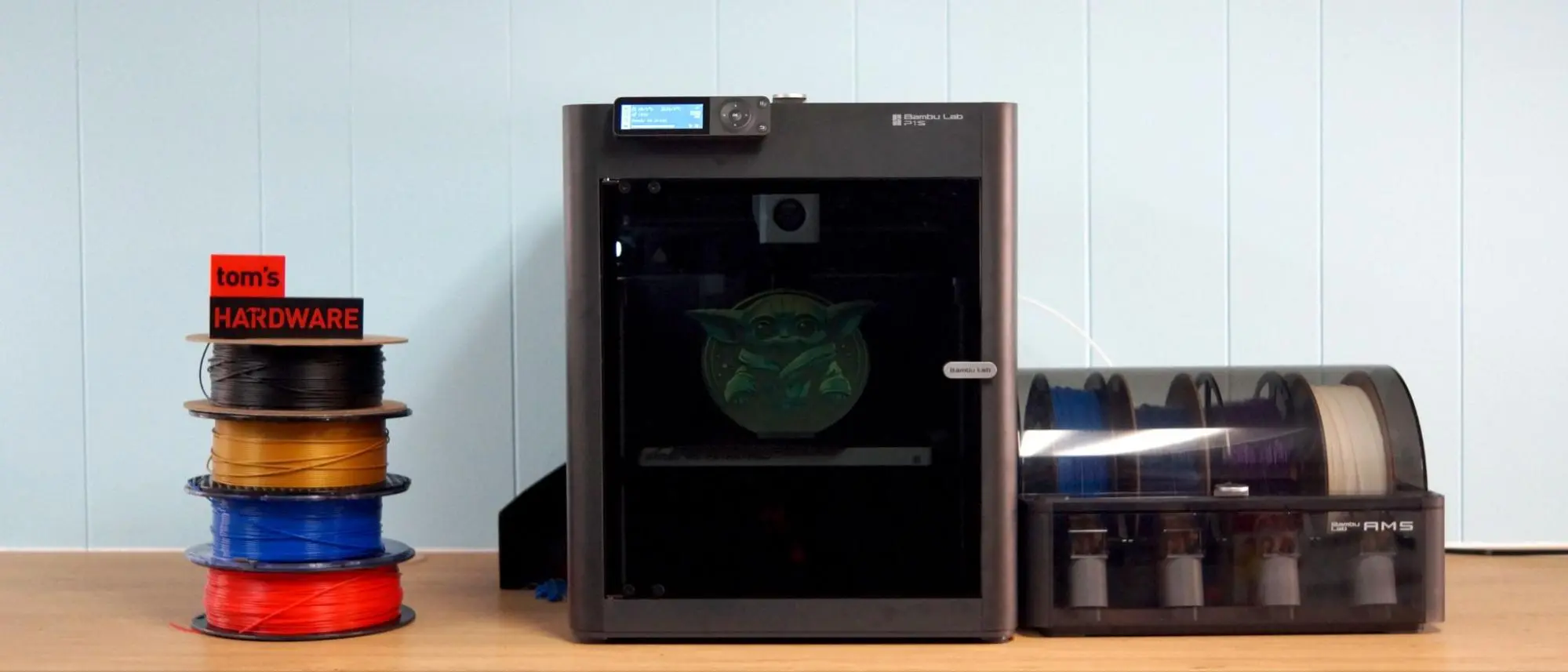
- Bambu Lab P1S (The “Just Print” Champion): Bambu Lab changed the game by making 3D printing as easy as using a microwave. Its strength lies in its ecosystem.
- The Edge: Near-perfect out-of-the-box experience.
- The Catch: It’s a “walled garden.” Repairs and software mods are restricted to Bambu’s own parts and cloud.
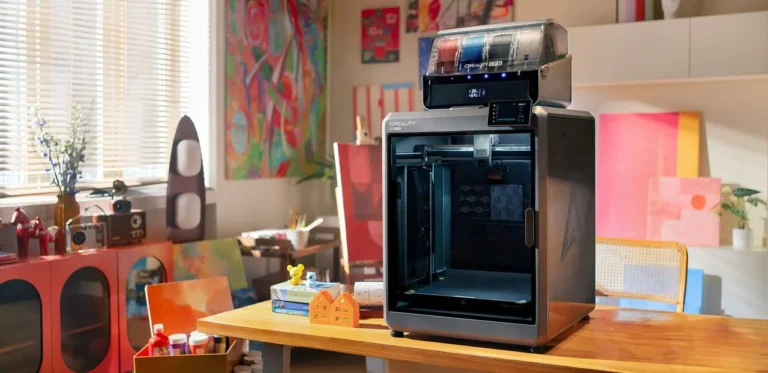
- Creality K1C (The Industrial Rebel): Creality took the feedback from the original K1 and built a “Carbon” version meant for serious work.
- The Edge: Open-source Klipper freedom and a “Unicorn” nozzle designed specifically for abrasive materials like Carbon Fiber.
- The Catch: It may require a bit more “tinkering” than the Bambu to reach peak perfection.
2. Quick Specs Comparison
| Feature | Bambu Lab P1S | Creality K1C |
| Build Volume | 256 x 256 x 256 mm | 220 x 220 x 250 mm |
| Max Speed | 500 mm/s | 600 mm/s |
| Ecosystem | Closed (User-Friendly) | Open (Klipper / Root) |
| Material Focus | PLA, PETG, ABS | Carbon Fiber, Nylon, ASA |
Part 2: Carbon Fiber Rods vs. Linear Steel Rails – Mechanical Warfare

When comparing the Bambu Lab P1S vs Creality K1C, the biggest difference is hidden under the hood. Both use the CoreXY motion system, but their choice of materials for the X-axis dictates their long-term reliability.
1. Bambu Lab P1S: The Agility of Carbon Fiber
Bambu Lab pioneered the use of Carbon Fiber Rods for the X-axis.
- The Advantage: Carbon fiber is incredibly lightweight. This low moving mass allows the P1S to change directions instantly with minimal vibration. This is why Bambu prints look so clean at high speeds.
- The Maintenance: You cannot grease these rods. They require regular cleaning with isopropyl alcohol. Over years of heavy use, the rods can wear down, and replacing them is a complex task for the average user.
2. Creality K1C: The Rigidity of Steel Rails
Creality went in a different direction by using High-Precision Linear Steel Rails.
- The Advantage: Steel rails are the industry standard for CNC machines and industrial 3D printers. They are incredibly rigid and can handle the “heavy lifting” of engineering-grade filaments without flexing. Maintenance is simple: a bit of grease, and they are as good as new.
- The Durability: For users printing 24/7, steel rails generally offer a longer lifespan and more consistent precision for heavy-duty parts.
3. Motion System & Extrusion Tech
| Mechanical Stat | Bambu Lab P1S | Creality K1C |
| X-Axis Material | Carbon Fiber Rods | Linear Steel Rails |
| Acceleration | 20,000 $mm/s^2$ | 20,000 $mm/s^2$ |
| Extruder Build | Plastic/Steel Hybrid | All-Metal Direct Drive |
| Nozzle System | Proprietary Hotend | Unicorn Quick-Swap |
4. The Extruder Battle
The Creality K1C features an upgraded all-metal extruder with a “bolted” design that prevents filament slipping even after 1000+ hours of printing. While the Bambu Lab P1S extruder is legendary for its reliability, the K1C is specifically built to withstand the “teeth” of abrasive filaments like Carbon Fiber Nylon.
Part 3: Walled Garden vs. Open Source – The Software Experience
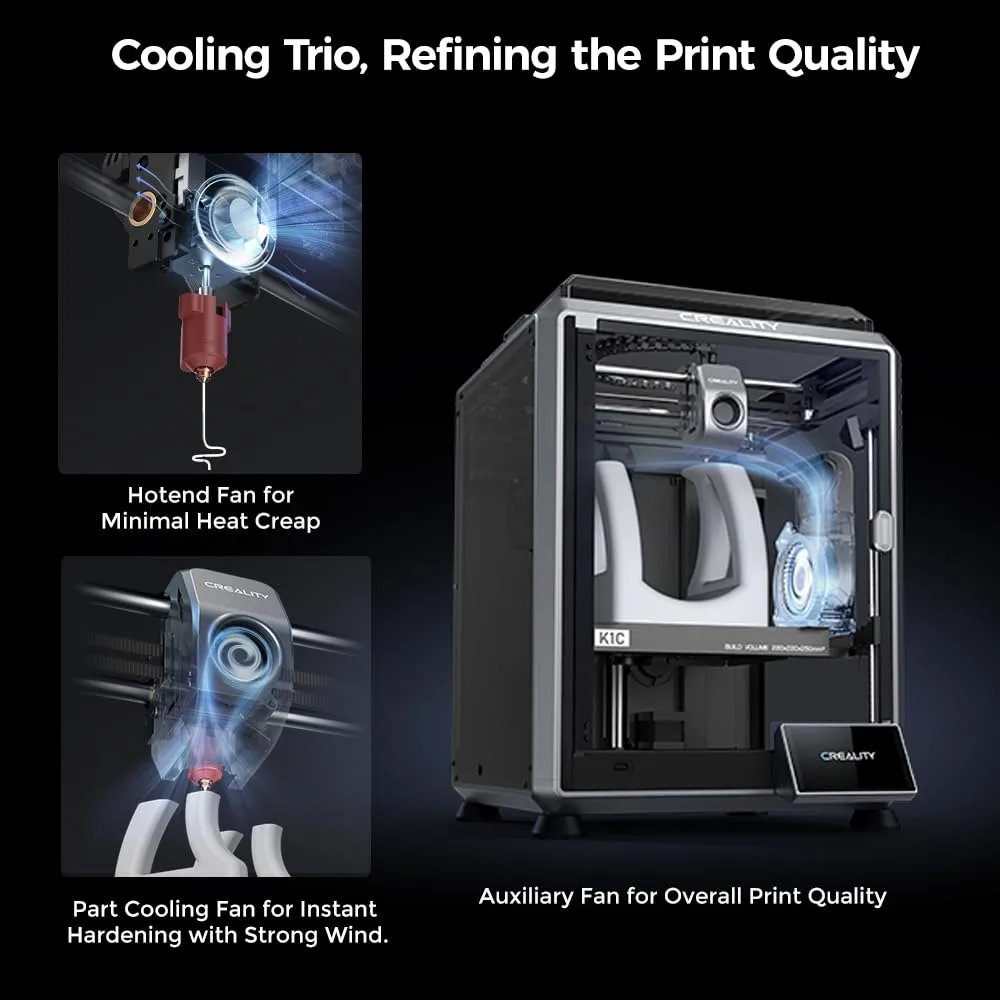
The biggest psychological divide in the Bambu Lab P1S vs Creality K1C debate is how much control you want over your printer. In 2026, Bambu Lab remains the “Apple” of 3D printing, while Creality has embraced the “Android/Linux” spirit with Klipper.
1. Bambu Lab P1S: The Seamless “It Just Works” Ecosystem
Bambu Lab’s secret sauce isn’t just the hardware; it’s the Bambu Studio and Bambu Handy app integration.
- The Experience: You slice a file, hit print, and the cloud handles the rest. Firmware updates are one-click, and the mobile app is the most polished in the industry.
- The Restriction: It is a closed system. You cannot modify the core firmware, you are tied to their cloud for the best features, and you have to play by Bambu’s rules.
2. Creality K1C: Klipper Freedom and Root Access
The Creality K1C runs on Creality OS, which is a customized version of Klipper.
- The Freedom: Unlike Bambu, you can “Root” the K1C. This gives you access to the Fluidd or Mainsail web interfaces, allowing you to tweak every single macro, calibrate with extreme precision, and install third-party plugins.
- Open Compatibility: While Creality Print is their native slicer, the K1C is designed to work perfectly with OrcaSlicer and Cura, giving you total control over your g-code without cloud dependency.
3. Intelligence & Connectivity Comparison
| Smart Feature | Bambu Lab P1S | Creality K1C |
| OS Type | Proprietary (Closed) | Klipper-based (Open/Root) |
| Mobile App | Bambu Handy (Premium) | Creality Cloud (Social/Utility) |
| Local LAN Mode | Limited | Full Support |
| AI Camera | Basic Monitoring | AI Failure & Spaghetti Detection |
| Screen Interface | 2.7″ LCD (Button) | 4.3″ Color Touchscreen |
4. The AI Edge
The Creality K1C comes standard with an AI Camera that actively looks for “spaghetti” (failed prints) and foreign objects on the bed. The Bambu Lab P1S camera is primarily for monitoring and timelapses; it lacks the advanced onboard AI processing found in its more expensive brother, the X1C, or the rival K1C.
Part 4: Multi-Color Mastery vs. Engineering Material Supremacy
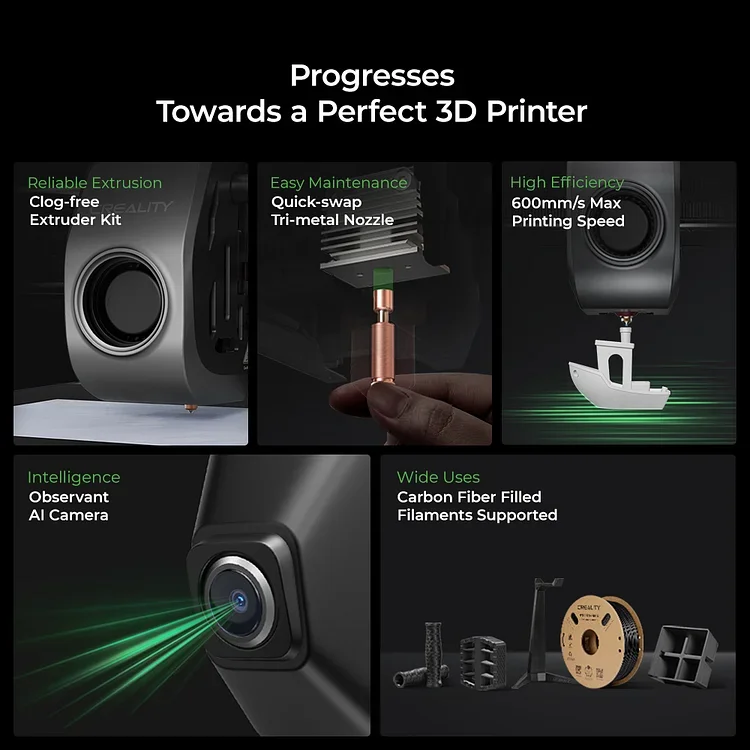
By 2026, the battle between the Bambu Lab P1S and the Creality K1C has centered on one question: Do you want to print beautiful, multi-colored models, or do you need to produce industrial-grade, functional parts?
1. Bambu Lab AMS: The Multi-Color Benchmark
The AMS (Automatic Material System) is the P1S’s “killer feature.” It allows the printer to switch between four different filaments (or up to 16 with multiple units) automatically during a single print.
- Seamless Integration: The AMS doesn’t just change colors; it detects when a spool is empty and automatically switches to a backup.
- Ease of Use: RFID tags on Bambu filaments mean the P1S knows exactly what is loaded without you typing a word.
- The “Poop” Factor: Note that every color change generates small amounts of waste filament. For highly complex multi-color models, this can add up.
2. Creality K1C: The Carbon Fiber Specialist
While Creality has introduced the CFS (Creality Filament System) for its newer K2 series, the K1C’s primary focus remains its superior handling of high-performance materials.
- The “Unicorn” Nozzle: The K1C features an integrated tri-metal nozzle (steel-tipped copper with a titanium alloy heatbreak). It is specifically designed to handle Carbon Fiber (PA-CF/PET-CF) and Glow-in-the-dark filaments that would quickly destroy a standard nozzle.
- Superior Thermal Handling: The K1C’s enclosure and reinforced all-metal extruder are fine-tuned for stable printing with ASA, ABS, and PC, offering more consistent results for mechanical parts than the P1S.
- Active Filtration: The K1C includes a robust active carbon filter to remove VOCs and odors, making it safer for printing technical materials in office environments.
3. Capability Comparison at a Glance
| Feature | Bambu Lab P1S | Creality K1C |
| Native Multi-Color | Yes (AMS Included/Optional) | Manual Swaps (CFS Kit Optional) |
| Carbon Fiber Ready | Moderate (Stainless Steel) | Extreme (Unicorn Steel Tip) |
| Nozzle Temperature | 300°C | 300°C |
| Multi-Material Support | Excellent (Dissolvable Supports) | Best for High-Strength Single Material |
| Filament Management | RFID Auto-Detection | Manual Entry |
4. The “Color vs. Strength” Choice
If your goal is to print colorful figurines, multi-part prototypes, or use dissolvable supports for complex geometries, the Bambu Lab P1S with AMS is unbeatable. However, if you are printing gears, tools, or functional automotive parts using abrasive “Carbon” filaments, the Creality K1C is the superior, more durable tool.
Final Verdict – The P1S or the K1C? Your 2026 Buying Guide
After thousands of hours of testing and analyzing the Bambu Lab P1S vs Creality K1C, the winner depends entirely on your specific goals. Both are top-tier CoreXY machines, but they serve different masters.
Which One Should You Pick?
- Choose the Bambu Lab P1S if:
- You want the most user-friendly 3D printing experience ever created.
- You plan on printing multi-color models or complex designs with dissolvable supports.
- You prefer a polished, “Apple-like” ecosystem where everything is managed via a sleek app.
- The Bottom Line: It’s the king of convenience and aesthetics.
- Choose the Creality K1C if:
- You are a “Maker” or Engineer who needs to print Carbon Fiber, Nylon, or ASA regularly.
- You want Root Access and the freedom of the Klipper firmware to customize your machine.
- You value hardware durability (Steel Rails) and a modern touchscreen interface over cloud features.
- The Bottom Line: It’s the industrial powerhouse for technical performance.
📊 Final Head-to-Head Summary
| Category | Bambu Lab P1S | Creality K1C | Winner |
| Out-of-the-box Ease | Seamless | Very Good | Bambu Lab P1S |
| Material Durability | Good | Industrial Grade | Creality K1C |
| AI Features | Basic | Advanced (Failure Detection) | Creality K1C |
| Multi-Color Support | Native (AMS) | Optional Add-on | Bambu Lab P1S |
| Software Freedom | Closed Ecosystem | Open (Klipper Root) | Creality K1C |